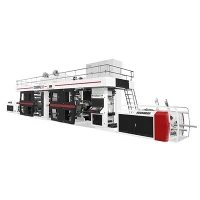
The control panel in a 6 Colour Flexo Printing Machine serves as the nerve center, orchestrating the complex symphony of processes that transform raw materials into vividly printed products. As a trusted supplier of 6 Colour Flexo Printing Machines, I am well - acquainted with the crucial functions of these control panels, and in this article, I will delve into their importance and capabilities.
Basic Parameter Setting
One of the primary functions of the control panel is to set basic printing parameters. This includes determining the printing speed, which is a critical factor in balancing production efficiency and print quality. Through the user - friendly interface of the control panel, operators can easily input the desired speed, whether it's a high - speed run for large - scale production or a slower pace for intricate and detailed prints.

The control panel also allows for the adjustment of registration. In a 6 Colour Flexo Printing Machine, each color layer needs to be precisely aligned to create a sharp and accurate final print. Operators can use the control panel to make fine - tuned adjustments to the position of each printing unit, ensuring that the colors overlap exactly as intended. This registration control is essential for producing high - quality prints, especially for jobs that require complex multi - color designs.
In addition, the control panel enables the selection and adjustment of ink flow. Different printing jobs may require different ink densities and flow rates. By simply entering the appropriate values on the control panel, the machine can regulate the amount of ink being transferred to the substrate, ensuring consistent color saturation across the entire print run.
Printing Process Monitoring
Once the printing process is underway, the control panel plays a vital role in monitoring various aspects of the operation. It provides real - time data on printing speed, allowing operators to quickly detect any deviations from the set speed. If the speed drops unexpectedly, it could indicate a problem with the mechanical components or an issue with the substrate's feeding.
The control panel also monitors the status of ink levels. Running out of ink during a print job can lead to inconsistent prints or wasted materials. By constantly displaying the ink levels in each ink tank, the control panel alerts operators when it's time to refill the ink, preventing production interruptions.
Another important aspect of monitoring is the detection of any faults or malfunctions. The control panel is equipped with sensors that can detect issues such as a blocked ink duct, a misaligned printing cylinder, or an electrical problem. When a fault is detected, the control panel will display an error message, indicating the nature and location of the problem. This allows operators to take immediate corrective action, minimizing downtime and reducing the risk of producing defective prints.


Recipe Management
Recipe management is a powerful feature offered by the control panel of a 6 Colour Flexo Printing Machine. This function allows operators to save and retrieve printing parameters for specific jobs. Once a set of parameters has been optimized for a particular design, substrate, and ink combination, it can be saved as a recipe.
The next time the same job needs to be printed, operators can simply select the relevant recipe from the control panel. This not only saves time but also ensures consistency in print quality across multiple runs. Recipe management is especially useful for businesses that frequently print the same or similar designs, as it eliminates the need to manually input the parameters each time.
Compatibility with Different Materials
Our 6 Colour Flexo Printing Machines are designed to handle a wide range of substrates, and the control panel is instrumental in ensuring compatibility with different materials. Whether you are printing on Paper Gearless Flexo Printing Press, Central Drum Flexo Printing Machine, or other substrates, the control panel allows for adjustments in pressure, tension, and drying settings.
For instance, when printing on kraft paper, which is relatively porous, the control panel can be used to increase the drying temperature and air flow to ensure that the ink dries quickly and adheres properly to the surface. On the other hand, when printing on plastic film, which is smoother and less absorbent, the pressure settings can be adjusted to ensure good ink transfer without causing any damage to the film.


Advanced Features and Customization
Many modern control panels in 6 Colour Flexo Printing Machines come with advanced features that offer greater flexibility and customization. For example, some control panels support remote monitoring and control. This means that operators can access the machine's control system from a remote location using a computer or a mobile device. They can monitor the print job, make adjustments to the parameters, and even diagnose and troubleshoot problems without being physically present at the machine.
Furthermore, the control panel can be customized to meet the specific needs of different customers. We can tailor the interface to include only the most relevant functions and displays, making it easier for operators to use the machine. This customization can significantly improve the user experience and overall productivity.
Integration with Other Production Equipment
In a modern production environment, it is often necessary to integrate the 6 Colour Flexo Printing Machine with other equipment, such as a Slitter Stack Type Flexo Printing Machine. The control panel plays a crucial role in this integration. It can communicate with the control systems of other equipment, allowing for seamless data transfer and coordinated operation.
For example, the control panel of the printing machine can send information about the print length and speed to the slitting machine, ensuring that the printed materials are slit accurately and at the right intervals. This integration not only improves the overall efficiency of the production line but also reduces the risk of errors and waste.
Training and Support

As a supplier of 6 Colour Flexo Printing Machines, we understand that the control panel can be complex, especially for new users. That's why we offer comprehensive training and support to our customers. Our training programs cover everything from basic operation of the control panel to advanced troubleshooting techniques.
We also provide ongoing technical support to ensure that our customers can use the control panel and the printing machine to their full potential. Whether it's answering questions, providing software updates, or assisting with repairs, our team of experts is always ready to help.
Conclusion
The control panel in a 6 Colour Flexo Printing Machine is an essential component that enables precise control, efficient operation, and high - quality printing. Its functions range from basic parameter setting to advanced features such as recipe management and remote monitoring. By understanding the capabilities of the control panel, operators can make the most of our 6 Colour Flexo Printing Machines and achieve excellent printing results.
If you are interested in learning more about our 6 Colour Flexo Printing Machines or have any questions about the control panel's functions, we encourage you to contact us for a detailed discussion. Our team of experts is eager to assist you in finding the best printing solutions for your business.
References
- Flexographic Printing Technical Association (FTA) publications on flexo printing technology.
- Industry - specific journals on packaging and printing technology.