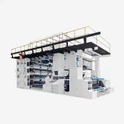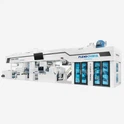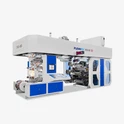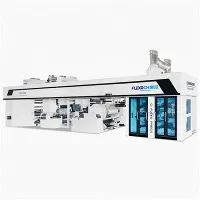
The daily maintenance and upkeep of flexo printing machines mainly includes the following aspects:
cleaning job:
Regularly clean the dust and dry ink on the surface of the flexo printing machine, especially the support frame above the printing plate and both ends of the anilox roller, to prevent the ink dots from falling off to the printing plate after drying, causing damage to the printing plate or dirty spots on the printed matter.
Clean the dry ink between the printing plate gear and the imprinting gear to prevent the gears from meshing properly, resulting in reduced vibration and pressure, which affects the quality of the print.
Clean the inside of the plate roller and the entire printing area to keep it clean and tidy.
Lubrication and maintenance:
Lubricate and maintain key parts of the flexo printing machine to ensure good lubrication between various parts of the equipment to avoid equipment damage or performance degradation due to friction.
Use specified lubricating oil and fuel to ensure that the machine can operate normally during long-term use.
Check device status:
Check whether the printing plate of the flexo printing machine is tight. If it is loose, reinstall the printing plate or call for maintenance personnel.
Check whether the ink rubber roller is loose or chipped, and repair or replace it if necessary.
Check whether the transmission system of the flexo printing machine, the wires of the fan and motor are normal, and replace or tighten the wires if necessary.
Operation precautions:
When operating a flexo printing machine, operators need to wear protective equipment such as work clothes, leather shoes, and gloves that comply with safety regulations.
The machine cleaning process requires careful operation to avoid damage to the machine. Always turn off the power to the machine before cleaning it.
Stay focused during the operation and avoid being impatient, overtired, drinking alcohol or taking drugs.
Regular maintenance:
After using the flexo printing machine, you need to remove the ink rubber roller, clean it, wipe it clean with a cloth and put it away.
After a week of use of the flexo printing machine, the transmission system, wires, etc. need to be inspected; after half a month of use, more in-depth maintenance work is required.
Material selection and storage:
The selection and storage of printing materials have a great impact on the printing effect and equipment life. Materials with stable quality should be selected and properly stored.
Machine adjustment and calibration:
According to the characteristics of printing materials and pigments, the relevant parameters of the flexo printing machine, such as printing pressure, ink viscosity, etc., are adjusted to achieve the best printing effect.
Regularly calibrate the key components of the flexo printing machine, such as the ink volume control system, color management system, etc., to ensure the accuracy and stability of the equipment.