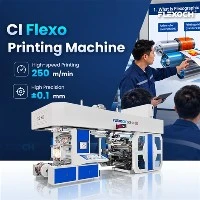
In the dynamic world of packaging and printing, the 4 Colour Flexo Printing Machine stands as a cornerstone for many businesses, offering high - speed, cost - effective, and high - quality printing solutions. As a reputable supplier of 4 Colour Flexo Printing Machines, I've witnessed firsthand the challenges that users face and the importance of addressing them promptly. In this blog, I'll delve into the common problems of a 4 Colour Flexo Printing Machine and share practical solutions.
Common Problems and Their Solutions
1. Ink Transfer Issues
One of the most prevalent problems in flexo printing is poor ink transfer. This can manifest as uneven ink coverage, missing print elements, or inconsistent color density.
Causes:
Worn - out anilox rolls: Over time, the cells on the anilox rolls can wear down, reducing their ability to hold and transfer ink.
Incorrect anilox roll selection: Using an anilox roll with an inappropriate line count for the job can lead to ink transfer problems.
Improper doctor blade adjustment: If the doctor blade is not adjusted correctly, it may not scrape off excess ink properly, resulting in uneven ink distribution.
Solutions:
Regularly inspect and replace anilox rolls: Establish a maintenance schedule to check the condition of anilox rolls. Replace them when signs of wear are evident.
Select the right anilox roll: Consider the print job requirements, such as the type of substrate, ink viscosity, and desired print quality, when choosing an anilox roll.
Adjust the doctor blade: Ensure that the doctor blade is properly aligned and applies the correct pressure to the anilox roll. This will help in achieving consistent ink transfer.


2. Registration Problems
Registration refers to the accurate alignment of different colors on the printed material. Misregistration can result in blurred or offset prints, which can significantly impact the quality of the final product.
Causes:
- Mechanical issues: Loose belts, misaligned rollers, or worn - out gears can cause the substrate to move unevenly during the printing process, leading to registration errors.
- Improper tension control: Incorrect tension in the substrate can cause it to stretch or shrink, resulting in misregistration.
- Software or control system problems: Faulty software or a malfunctioning control system can lead to inaccurate registration settings.
Solutions:
- Regularly maintain the mechanical components: Check and tighten belts, align rollers, and replace worn - out gears. This will ensure smooth and consistent movement of the substrate.
- Optimize tension control: Adjust the tension settings according to the type and thickness of the substrate. Use tension sensors and controllers to maintain a consistent tension throughout the printing process.
- Update and troubleshoot the software and control system: Keep the software up - to - date and perform regular checks to ensure that the control system is functioning properly.
3. Print Quality Defects
Print quality defects such as dot gain, blurring, or streaking can occur in 4 Colour Flexo Printing Machines.
Causes:
- Ink viscosity issues: Incorrect ink viscosity can cause dot gain, where the printed dots are larger than intended, resulting in a loss of detail.
- Pressure problems: Uneven pressure between the printing plate and the substrate can lead to blurring or streaking.
- Contamination: Dust, debris, or dried ink on the printing plate or anilox roll can cause print defects.
Solutions:
- Monitor and adjust ink viscosity: Use a viscometer to measure the ink viscosity and make adjustments as needed. This will help in achieving consistent dot size and print quality.
- Check and adjust pressure: Ensure that the pressure between the printing plate and the substrate is evenly distributed. Use pressure sensors and make necessary adjustments to the printing cylinders.
- Keep the printing environment clean: Regularly clean the printing plate, anilox roll, and other components to prevent contamination.
4. Drying Problems
Inadequate drying can lead to smudging, blocking, or poor adhesion of the ink to the substrate.
Causes:
- Insufficient drying capacity: The drying system may not be powerful enough to dry the ink quickly enough, especially when printing at high speeds.
- Incorrect drying temperature or airflow: If the drying temperature is too low or the airflow is not properly adjusted, the ink may not dry completely.
- Ink formulation: Some inks may require specific drying conditions, and using the wrong ink can lead to drying problems.
Solutions:
- Upgrade the drying system: If the existing drying system is not sufficient, consider upgrading to a more powerful one. This may involve adding additional drying units or improving the airflow design.
- Optimize drying parameters: Adjust the drying temperature and airflow according to the type of ink and substrate being used. Conduct tests to find the optimal settings.
- Select the right ink: Choose inks that are compatible with the substrate and the drying system. Consult with ink manufacturers for recommendations.
Video Introduction
Additional Resources
If you're interested in exploring more advanced printing solutions, we also offer PE Film Printing Machine, 8 Colour Flexo Printing Machine, and Pp Woven Bag Printing Machine. These machines are designed to meet the diverse needs of the printing industry and offer enhanced performance and reliability.
Conclusion
As a supplier of 4 Colour Flexo Printing Machines, I understand the importance of providing high - quality products and reliable support. By being aware of the common problems and their solutions, you can ensure that your printing operations run smoothly and efficiently. If you're facing any issues with your 4 Colour Flexo Printing Machine or are interested in purchasing a new one, don't hesitate to reach out. Our team of experts is ready to assist you with all your printing needs. Whether you need technical advice, maintenance support, or help with choosing the right machine, we're here to help. Contact us today to start a conversation about how we can meet your printing requirements.


References
- "Flexographic Printing Technology" by Printing Industries of America
- "The Handbook of Flexography" by Flexographic Technical Association