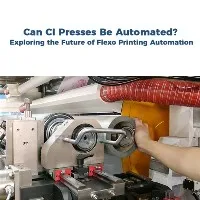
Adjusting the doctor blade in a 6 Color Flexo Printing Machine is a crucial process that significantly impacts the quality and efficiency of the printing operation. As a reputable supplier of 6 Color Flexo Printing Machines, I have witnessed firsthand the importance of proper doctor blade adjustment and its direct correlation to the final output. In this blog, I will share some expert insights on how to correctly adjust the doctor blade in a 6 Color Flexo Printing Machine, ensuring optimal performance and high - quality prints.
Understanding the Function of the Doctor Blade
Before diving into the adjustment process, it's essential to understand the role of the doctor blade. In a 6 Color Flexo Printing Machine, the doctor blade is responsible for removing excess ink from the anilox roll. This ensures that only the required amount of ink is transferred to the printing plate, which in turn affects the clarity, sharpness, and consistency of the printed image. A poorly adjusted doctor blade can lead to issues such as ink streaks, uneven ink distribution, and excessive ink consumption.

Pre - adjustment Preparations
- Inspect the Doctor Blade: Before starting the adjustment, carefully examine the doctor blade for any signs of damage, such as nicks, bends, or wear. A damaged blade will not function properly and may cause printing defects. If any damage is detected, replace the blade with a new one.
- Check the Anilox Roll: The anilox roll plays a key role in the ink - transfer process. Ensure that the roll is clean and free of any debris or dried ink. A dirty anilox roll can interfere with the doctor blade's ability to remove excess ink, leading to inconsistent printing results.
- Gather the Necessary Tools: You will need a few basic tools for the adjustment, including a straightedge, a feeler gauge, and a screwdriver. These tools will help you accurately measure and adjust the position and pressure of the doctor blade.
Adjusting the Blade Angle
The angle at which the doctor blade contacts the anilox roll is a critical factor in its performance. The ideal blade angle typically ranges between 30 and 60 degrees, depending on the type of ink, the anilox roll's surface, and the printing speed.
- Use a Straightedge: Place a straightedge along the length of the doctor blade. This will help you ensure that the blade is properly aligned and at the correct angle.
- Make Small Adjustments: Use the adjustment mechanism on the doctor blade holder to carefully change the angle. It's important to make small, incremental adjustments and test the printing quality after each change. This way, you can fine - tune the angle until you achieve the best results.
Setting the Blade Pressure
Proper blade pressure is essential for effective ink removal without damaging the anilox roll. Too much pressure can cause excessive wear on the roll and the blade, while too little pressure will result in incomplete ink removal.
- Use a Feeler Gauge: A feeler gauge can be used to measure the gap between the doctor blade and the anilox roll. This gap will determine the pressure applied by the blade. Start by setting the gap according to the manufacturer's recommendations.
- Test and Adjust: After setting the initial gap, run a test print. Check for any signs of ink streaks or uneven ink distribution. If necessary, adjust the blade pressure by tightening or loosening the mounting screws on the doctor blade holder. Remember to make small adjustments and test the print quality after each change.
-
 Anilox Rolls
 Chamber Doctor Blade
Ensuring Uniformity across the Width
In a 6 Color Flexo Printing Machine, it is crucial to ensure that the doctor blade adjustment is uniform across the entire width of the anilox roll. Non - uniform adjustment can lead to differences in ink density and print quality from one side of the print to the other.
- Regularly Measure the Angle and Pressure: Use the tools mentioned earlier to check the angle and pressure at multiple points along the length of the doctor blade. Make any necessary adjustments to ensure that they are consistent throughout.
- Inspect the Print Results: Examine the test prints carefully. Look for any variations in the printed image, such as differences in color intensity or sharpness. If unevenness is detected, further adjust the doctor blade to correct the issue.
Maintenance after Adjustment
Once the doctor blade has been properly adjusted, regular maintenance is necessary to keep it in optimal condition.
- Clean the Blade Regularly: After each printing job, clean the doctor blade to remove any residual ink. This will prevent the ink from drying and hardening on the blade, which can affect its performance.
- Inspect for Wear: Periodically inspect the doctor blade for signs of wear. Replace the blade as soon as it starts to show significant wear to maintain consistent printing quality.
-
Video introduction
Benefits of Proper Doctor Blade Adjustment
- Improved Print Quality: A well - adjusted doctor blade ensures that the correct amount of ink is transferred to the printing plate, resulting in sharp, clear, and consistent prints. Colors will be more vibrant, and details will be more defined.
- Reduced Ink Consumption: By removing excess ink from the anilox roll, proper blade adjustment helps to minimize ink waste. This not only reduces costs but also has environmental benefits.
- Extended Equipment Lifespan: Correctly adjusted doctor blades put less stress on the anilox roll and other components of the printing machine. This can extend the lifespan of the equipment, reducing the need for frequent repairs and replacements.
Related Products
If you are interested in other types of flexo printing machines, we also offer a wide range of options, such as Pp Woven Bag Flexo Printing Machine, PE Film Flexo Printing Machine, and 8 Color Flexo Printing Machine.
Conclusion
Adjusting the doctor blade in a 6 Color Flexo Printing Machine is a skill that requires attention to detail and a good understanding of the printing process. By following the steps outlined in this blog, you can ensure that your doctor blade is properly adjusted, resulting in high - quality prints, reduced costs, and extended equipment lifespan. If you have any further questions or are interested in purchasing a 6 Color Flexo Printing Machine, feel free to contact us for more information and to start a procurement discussion.
References
- "Flexographic Printing Technology Handbook"
- "Principles of Flexographic Printing"