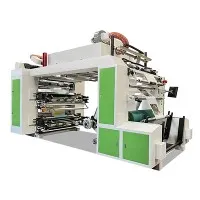
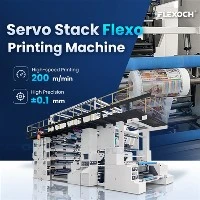
Hey there! As a supplier of CI presses, I'm stoked to share with you all the ins and outs of installing these bad boys. Whether you're a newbie in the printing game or a seasoned pro looking to set up a new machine, this guide is gonna be your go-to resource.
Pre - installation Checks
Before you even think about unpacking that shiny new CI press, there are a few things you need to take care of. First off, you gotta pick the right spot for it. The area should be well - ventilated because these machines can generate a fair amount of heat and fumes during operation. Make sure the floor is level and can support the weight of the press. You don't want it tipping over or causing any structural issues.
Next, check the power supply. CI presses usually require a specific voltage and amperage. Make sure your electrical system can handle it. If not, you might need to call in an electrician to make some upgrades. Also, ensure that there are proper grounding connections to prevent any electrical hazards.
You'll also need to have all the necessary tools on hand. A basic toolkit with wrenches, screwdrivers, and pliers should do the trick. Some of the more specialized tools might be provided with the machine, but it's always good to double - check.
Unpacking and Assembly
Once you've got everything prepped, it's time to unpack the CI press. Be careful when removing the packaging materials. Some parts might be fragile, and you don't want to damage anything. As you unpack, lay out all the components in an organized manner. This will make the assembly process a whole lot easier.
Start by assembling the main frame of the press. Follow the manufacturer's instructions carefully. Usually, there are numbered parts and clear diagrams to guide you. Connect the different sections of the frame using the provided bolts and nuts. Make sure everything is tightened properly, but don't over - tighten as it could damage the parts.
After the frame is assembled, it's time to install the printing units. These are the heart of the CI press. Each unit has specific functions, like inking, printing, and drying. Place them in the designated positions on the frame and connect them using the appropriate connectors.
Installing the Rollers and Cylinders
Rollers and cylinders play a crucial role in the printing process. They help transfer the ink from the ink source to the printing surface. Install the anilox rollers first. These rollers are responsible for metering the ink. Make sure they are aligned correctly and can rotate smoothly.
Next, install the printing cylinders. These hold the printing plates. You need to be extra careful when handling the cylinders as they can be quite heavy. Use a lifting device if necessary. Once they are in place, adjust their positions to ensure proper registration. Registration is all about making sure that the different colors and images line up perfectly on the printed material.
Connecting the Ink and Drying Systems
The ink system is what actually puts the color on your printed product. Connect the ink tanks to the ink pumps and then to the printing units. Make sure all the hoses are properly connected and there are no leaks. You might need to prime the pumps to get the ink flowing.
The drying system is equally important. It helps dry the ink quickly so that the printed material can be handled without smudging. Connect the drying units to the appropriate power sources and ventilation systems. Adjust the temperature and airflow settings according to the type of ink and printing material you'll be using.
Testing and Calibration
Once everything is installed, it's time to test the CI press. Before you start printing on actual materials, do a dry run. Turn on the machine and let it run for a few minutes to make sure all the components are working properly. Check for any strange noises or vibrations.
After the dry run, it's time for calibration. This involves adjusting the settings to get the best print quality. You'll need to adjust things like ink flow, pressure, and registration. Use test prints to fine - tune these settings. It might take a few tries to get it just right, but once you do, you'll be on your way to producing high - quality prints.
Maintenance Tips
To keep your CI press running smoothly for a long time, regular maintenance is key. Clean the rollers and cylinders after each use to prevent ink buildup. Check the ink system for clogs and leaks on a regular basis. Lubricate the moving parts as recommended by the manufacturer.


Also, keep an eye on the wear and tear of the parts. Replace any worn - out parts promptly to avoid any major breakdowns. It's a good idea to keep a stock of essential spare parts on hand.
Related Products
If you're interested in exploring other types of printing machines, we also offer some great options. Check out our Gearless Flexo Printing Machine, which offers high - precision printing. Our FFS Heavy - Duty Film Flexo Printing Machine is perfect for printing on heavy - duty films. And if you're into printing on PP woven bags, our Pp Woven Bag Ci Printing Machine is a great choice.
Conclusion
Installing a CI press might seem like a daunting task, but if you follow these steps and take your time, you'll be able to get it up and running in no time. Remember, proper installation, testing, and maintenance are the keys to getting the most out of your machine.
If you have any questions about installing CI presses or are interested in purchasing one, feel free to reach out. We're here to help you every step of the way. Whether you're a small - scale printer or a large - scale production facility, we've got the right CI press for you.
References
- Manufacturer's installation manual for CI presses
- Industry best practices for printing machine installation