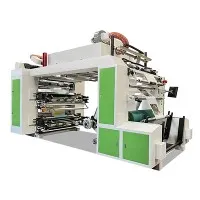
Hey there! I'm super stoked to be here with you today, sharing some insider tips on how to calibrate a 6 Color Flexo Printing Machine. As a supplier of these amazing machines, I've seen firsthand how getting the calibration right can make or break your printing projects. So, let's dive right in!
Why Calibration Matters
Before we get into the nitty - gritty of calibration, let's talk about why it's so important. A well - calibrated 6 Color Flexo Printing Machine ensures that the colors are accurate, the registration (how well the colors line up) is perfect, and the overall print quality is top - notch. Whether you're printing on Plastic Film Flexo Printing Machine or using a Sleeve Type CI Flexo Printing Machine, calibration is key.
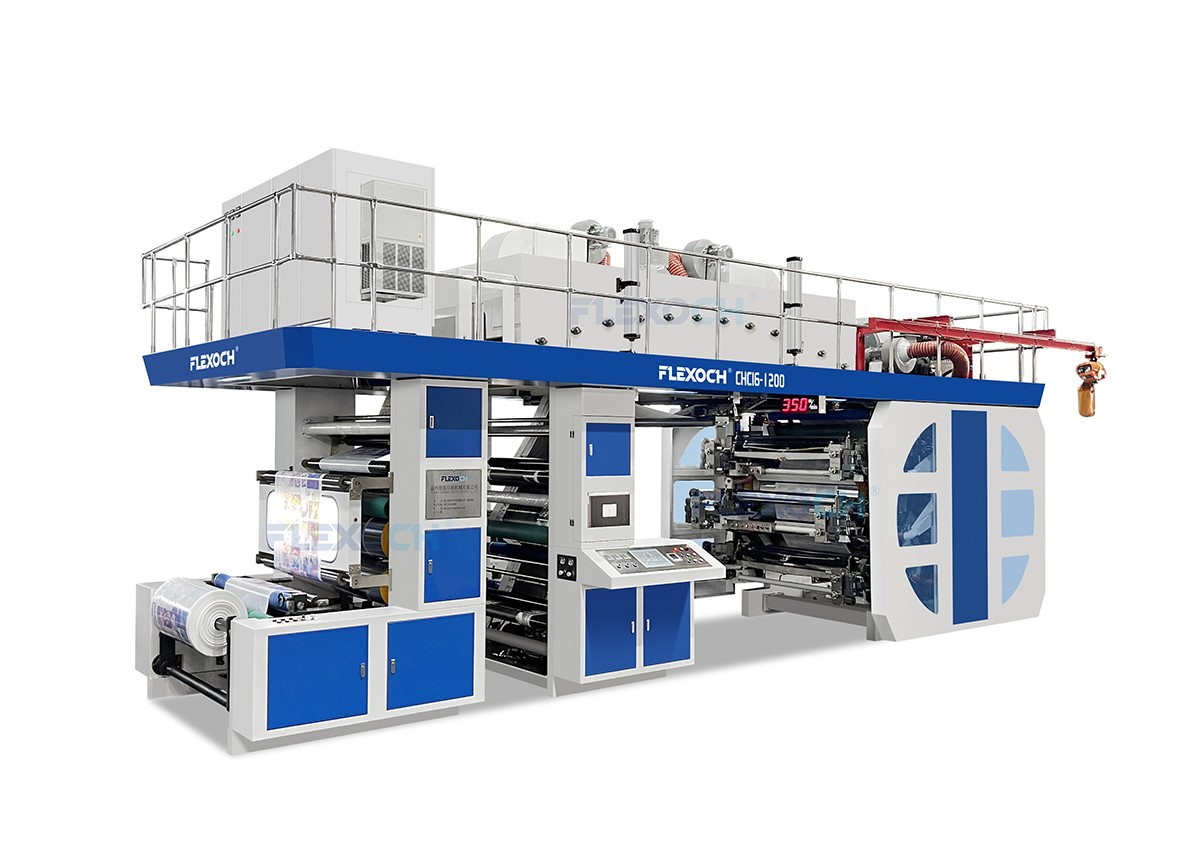

Pre - Calibration Checks
First things first, you gotta do some pre - calibration checks. These are like the warm - up exercises before a big game.
- Inspect the Machine: Take a good look at the entire machine. Check for any loose parts, worn - out belts, or signs of damage. Make sure all the rollers are clean and free from debris. Dirt or dust on the rollers can mess up the ink transfer and, ultimately, the print quality.
- Check the Ink Supply: Ensure that the ink is at the correct viscosity. If the ink is too thick or too thin, it won't spread evenly on the printing plate. Also, make sure the ink storage tanks are filled to an appropriate level. You don't want to run out of ink in the middle of a job!
- Verify the Substrate: The substrate (the material you're printing on) needs to be in good condition. Look for any wrinkles, tears, or uneven surfaces. Different substrates may also require different settings on the machine, so know your material well.
Step - by - Step Calibration Process
1. Set the Pressure
The pressure applied by the printing plate cylinder and the impression cylinder is crucial. If the pressure is too high, it can cause the ink to spread too much, resulting in blurry prints. If it's too low, the ink may not transfer properly, leading to faint or incomplete images.
- Start by adjusting the pressure gradually. I usually start with a light pressure and then print a test pattern.
- Examine the test print. If the colors are too light, increase the pressure slightly and print another test. Keep doing this until you get the right balance.
2. Adjust the Anilox Rollers
Anilox rollers are responsible for metering the ink onto the printing plate. The volume of ink transferred depends on the cell size and the line count of the anilox roller.
- Different colors may require different anilox rollers. For example, a solid color might need a roller with a larger cell size to hold more ink, while a fine detail or a halftone might need a roller with a higher line count.
- Make sure the anilox rollers are clean and properly installed. Any damage or clogging can affect the ink transfer and, thus, the print quality.
3. Color Registration
This is where the magic happens! Getting the colors to line up perfectly is what makes a great print.
- Most modern 6 Color Flexo Printing Machines come with a registration system. Use this system to adjust the position of each color station.
- Print a registration target, which usually has a series of cross - hair patterns for each color. Check if the patterns are centered and aligned with each other.
- If a color is off - register, use the machine's controls to adjust the position of the printing plate cylinder or the substrate feed. It might take a few tries to get it just right, but patience is key here.
4. Ink Density
Controlling the ink density is important for achieving consistent color across different prints.
- Use a densitometer to measure the ink density of each color. This device gives you a numerical value that represents how much ink is on the substrate.
- Compare the measured density with the target density for each color. If the density is too low, you can increase the ink flow or pressure. If it's too high, reduce the flow or pressure.
 Anilox roller
 Video Inspection
 Tension control
Post - Calibration Checks
Once you've completed the calibration process, don't just start printing a large job right away. Do some final checks to make sure everything is in order.
- Print a few more test samples and examine them closely. Check for any color inconsistencies, registration issues, or other defects.
- If you find any problems, go back and make the necessary adjustments. It's better to catch and fix issues now than to end up with a whole batch of faulty prints.
-
Video introduction
Tips and Tricks
- Keep a calibration log. Write down the settings and adjustments you make during each calibration session. This can be really helpful if you encounter similar issues in the future.
- Train your operators well. Make sure they understand the calibration process and how to use the machine's controls. A well - trained operator can make a big difference in the print quality.
Conclusion
Calibrating a 6 Color Flexo Printing Machine may seem like a daunting task, but with the right knowledge and a bit of practice, it becomes a lot easier. Remember, the key is to start with pre - calibration checks, follow the step - by - step process carefully, and use the technology available to you. Whether you're using a Double Station Non - stop CI Flexographic Printer or another type of our machine, getting the calibration right will ensure that you produce high - quality prints every time.
If you're in the market for a 6 Color Flexo Printing Machine or need more in - depth advice on calibration, don't hesitate to reach out to us. We're here to help you make the most of your printing projects and take your business to the next level.
References
- Flexographic Printing Technical Association (FTA) publications
- Manufacturer's manuals for 6 Color Flexo Printing Machines