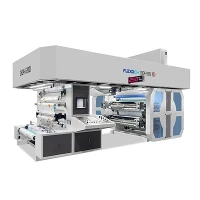
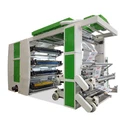
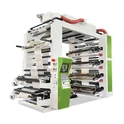
Hey there! As an inline flexo supplier, I've seen my fair share of issues in the world of inline flexo printing. One of the most common headaches that printers often face is uneven ink distribution. It can really mess up the quality of the print job, and let's be honest, nobody wants that. So, in this blog, I'm gonna dig into what causes uneven ink distribution in inline flexo printing.
1. Anilox Roll Issues
The anilox roll is like the heart of the ink - delivery system in inline flexo printing. It's responsible for metering the right amount of ink onto the printing plate. If there are problems with the anilox roll, it can lead to uneven ink distribution.
Clogged Cells
The anilox roll has tiny cells that hold the ink. Over time, these cells can get clogged with dried ink, debris, or contaminants. When this happens, the ink can't flow properly from the cells onto the printing plate. For instance, if you're using a high - viscosity ink, it's more likely to dry up in the cells and cause blockages. And once a cell is clogged, that area of the roll won't be able to transfer ink as it should, resulting in uneven ink on the printed material. You can learn more about inline flexo printing and the role of anilox rolls at inline flexo.
Worn - Out Anilox Roll
Another issue is wear and tear. The anilox roll is constantly in contact with other components like doctor blades and the printing plate. Over time, this contact can cause the cells in the anilox roll to wear down. Worn cells may not hold the same amount of ink as they used to. Some cells might become shallower, which means they'll carry less ink, while others could be damaged in a way that affects the ink - release properties. This variation in ink - holding capacity across the roll leads to uneven ink distribution on the print.
 Anilox Roller
2. Printing Plate Problems
The printing plate is where the image is transferred onto the substrate. Any problems with the plate can directly impact ink distribution.
Plate Damage
If the printing plate gets damaged, say, from scratches or nicks, it can disrupt the ink - transfer process. A scratch on the plate might prevent the ink from adhering properly in that area. For example, if you're handling the plate roughly during installation or cleaning, it's easy to cause these kinds of damages. And when the ink doesn't transfer uniformly from the damaged part of the plate, you end up with uneven ink on the printed product.
Incorrect Plate Mounting
Proper plate mounting is crucial for even ink distribution. If the plate isn't mounted flat and straight on the plate cylinder, it can cause uneven pressure during the printing process. When there's uneven pressure, the ink transfer will also be uneven. For instance, if one side of the plate is slightly higher than the other, more ink will be transferred in the areas with higher pressure, while less ink will go to the low - pressure areas. This results in a patchy appearance on the printed material. You can explore different aspects of inline flexographic printing, including plate mounting, at inline flexographic printing.
3. Substrate Variations
The substrate, which is the material being printed on, can also play a big role in uneven ink distribution.
Surface Roughness
Different substrates have different surface roughness. For example, a rough - textured paper will absorb ink differently than a smooth - surfaced one. On a rough substrate, the ink may be absorbed more unevenly because the ink has to fill in the valleys and peaks of the surface. This can lead to areas where the ink looks darker or lighter, creating an uneven appearance.
Moisture Content
The moisture content of the substrate can also affect ink distribution. If the substrate has too much moisture, it can cause the ink to spread or bleed, resulting in a blurry and uneven print. On the other hand, if the substrate is too dry, the ink may not adhere properly, causing patchy areas. For example, in a humid environment, the substrate can absorb moisture from the air, and if you don't take proper precautions, it can mess up the ink - transfer process.

4. Ink - Related Factors
The ink itself can be a culprit when it comes to uneven ink distribution.
Viscosity Issues
Ink viscosity is a measure of its thickness or resistance to flow. If the viscosity is too high, the ink may not flow smoothly through the ink - delivery system. It can get stuck in the anilox roll cells or on the printing plate, leading to uneven ink transfer. Conversely, if the viscosity is too low, the ink may spread too easily and cause bleeding or inconsistent coverage. Maintaining the right viscosity is crucial for even ink distribution. You need to regularly check and adjust the viscosity based on the printing conditions and the type of substrate you're using.
Ink Compatibility
The ink also needs to be compatible with the substrate and other components in the printing system. If the ink isn't compatible with the substrate, it may not adhere properly, resulting in uneven ink distribution. For example, some inks are designed for specific types of paper or plastic substrates. Using an incompatible ink can lead to problems like poor adhesion, smudging, or uneven drying.
5. Machine - related Problems
The inline flexo printing machine itself can have issues that cause uneven ink distribution.
Uneven Pressure
The pressure between the anilox roll, printing plate, and substrate needs to be consistent across the entire width of the print. If the pressure is uneven, the ink transfer will also be uneven. This can happen due to mechanical problems in the machine, such as worn - out bearings or misaligned cylinders. For example, if the plate cylinder isn't properly aligned with the anilox roll, the pressure will vary at different points, leading to uneven ink distribution.
Ink - Delivery System Malfunctions
The ink - delivery system, which includes pumps, hoses, and valves, needs to work properly to ensure a steady and even flow of ink. If there are any blockages in the hoses or if the pumps aren't working correctly, the ink supply to the anilox roll will be inconsistent. This can result in areas of the print having too much or too little ink.
Video Introduction
Following is the workflow of inline flexo printing machine.
Conclusion
As you can see, there are many factors that can cause uneven ink distribution in inline flexo printing. From anilox roll issues and printing plate problems to substrate variations, ink - related factors, and machine - related problems, each aspect plays a crucial role in getting a high - quality print.
If you're facing these issues in your inline flexo printing operations, don't worry! We're here to help. As an inline flexo supplier, we have a wealth of experience and a wide range of solutions. Whether you need a new anilox roll, guidance on plate mounting, or advice on ink selection, we can offer you the support you need.
If you're interested in improving your inline flexo printing quality and addressing uneven ink distribution, feel free to reach out to us for a discussion. We're eager to work with you to find the best solutions for your printing needs. If you're in the market for a reliable Paper Bag Flexo Printing Machine, we can also assist you with that. Let's get your printing jobs looking their best!
References
- "Flexographic Printing Technology Handbook"
- Industry reports on inline flexo printing quality issues