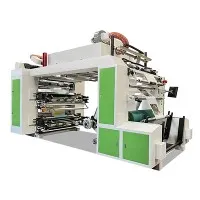
As a seasoned supplier of 8 Colour Flexo Printing Machines, I've encountered numerous ink supply system issues over the years. Troubleshooting these problems effectively is crucial to ensure smooth printing operations and high - quality prints. In this blog, I'll share some in - depth knowledge and practical tips on how to troubleshoot the ink supply system of an 8 Colour Flexo Printing Machine.
Understanding the Ink Supply System Basics
Before diving into troubleshooting, it's essential to understand the basic components of the ink supply system in an 8 Colour Flexo Printing Machine. The system typically consists of an ink tank, an ink pump, ink lines, anilox rollers, and doctor blades. The ink tank stores the ink, which is then pumped through the ink lines to the anilox rollers. The doctor blades control the amount of ink on the anilox rollers, which transfer the ink to the printing plates.
Common Ink Supply System Problems and Solutions
1. Ink Starvation
Ink starvation occurs when the printing plates do not receive enough ink, resulting in incomplete or faded prints. This can be caused by several factors:
- Clogged Ink Lines: Over time, ink can dry up and form clogs in the ink lines. To fix this, you can use a suitable cleaning solution to flush the ink lines. First, turn off the ink pump and disconnect the ink lines from the anilox roller. Then, connect a container filled with the cleaning solution to one end of the ink line and use a syringe or a pump to push the solution through the line. Repeat this process until the line is clear.
- Malfunctioning Ink Pump: A faulty ink pump may not be able to supply enough ink to the system. Check the pump for any signs of damage, such as leaks or worn - out parts. If necessary, replace the pump. Make sure the pump is properly calibrated to ensure the correct flow rate of ink.
2. Ink Leakage
Ink leakage is another common problem that can lead to a messy work environment and wasted ink. It can occur at various points in the ink supply system:
- Loose Fittings: Check all the fittings in the ink lines and connections for tightness. If a fitting is loose, tighten it using the appropriate tools. Be careful not to overtighten, as this can damage the fittings.
- Damaged Seals: Seals in the ink tank, pump, and other components can wear out over time. Inspect the seals for any signs of damage or cracks. Replace the damaged seals with new ones to prevent further leakage.
3. Uneven Ink Distribution
Uneven ink distribution can result in inconsistent print quality, with some areas of the print being darker or lighter than others. This can be due to:
- Worn Anilox Rollers: Anilox rollers can wear out over time, causing uneven ink transfer. Inspect the anilox rollers for signs of wear, such as scratches or a loss of cell depth. If the rollers are worn, they may need to be replaced or re - engraved.
- Improper Doctor Blade Setup: The doctor blade plays a crucial role in controlling the amount of ink on the anilox roller. If the blade is not properly installed or adjusted, it can lead to uneven ink distribution. Make sure the doctor blade is straight and has a consistent pressure along its length. Adjust the blade angle and pressure as needed.
4. Ink Foaming
Ink foaming can cause problems such as poor ink transfer and air bubbles in the prints. Foaming can be caused by:
- Incorrect Ink Viscosity: The viscosity of the ink can affect its tendency to foam. If the ink is too thin, it may be more prone to foaming. Check the ink viscosity using a viscometer and adjust it according to the manufacturer's recommendations. You can add a viscosity modifier or adjust the ink - solvent ratio.
- Agitation Issues: Excessive agitation of the ink in the tank can cause foaming. Make sure the ink pump is not causing too much turbulence in the ink tank. You may need to adjust the pump speed or the position of the pump inlet.
Preventive Maintenance
Preventive maintenance is key to avoiding ink supply system problems. Here are some maintenance tips:
- Regular Cleaning: Clean the ink tank, ink lines, anilox rollers, and doctor blades regularly. Use a suitable cleaning solution and follow the manufacturer's instructions. This helps to prevent ink buildup and clogs.
- Inspection of Components: Periodically inspect all the components of the ink supply system for signs of wear, damage, or leakage. Replace any worn or damaged parts promptly.
- Ink Quality Control: Use high - quality ink and store it properly. Check the ink for any signs of deterioration, such as changes in color or viscosity.
Related Products
If you're also interested in other types of flexo printing machines, we offer a range of options. You can check out our 4 Colour Flexo Printing Machine, PE Film Printing Machine, and Stack Press. These machines are also designed with high - quality ink supply systems and are suitable for different printing needs.


Conclusion
Troubleshooting the ink supply system of an 8 Colour Flexo Printing Machine requires a good understanding of the system's components and common problems. By following the tips and solutions outlined in this blog, you can effectively address ink supply issues and ensure the smooth operation of your printing machine. If you encounter persistent problems or need further assistance, don't hesitate to contact us. We're here to help you optimize your printing process and achieve the best results. Whether you're a small - scale printer or a large - scale production facility, our team of experts can provide you with the support and solutions you need. Reach out to us to discuss your specific requirements and explore how our 8 Colour Flexo Printing Machines can meet your business needs.
References
- Flexographic Printing Technical Association (FTA) - Various publications on flexo printing technology and maintenance.
- Manufacturer's manuals for 8 Colour Flexo Printing Machines.