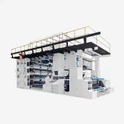
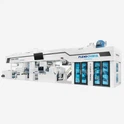
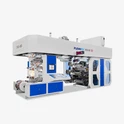
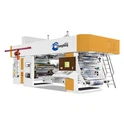
Flexographic printing machines are key to modern printing, used widely in packaging (e.g., food wrappers, beverage labels), flexible material printing (plastic films, paper bags), and label production-including 4 6 8 color Flexo printing machine for multi-color, high-quality packaging and label jobs that require vibrant hues.They stand out for flexible relief plates and eco-friendly water/solvent-based inks. Their fast speeds and easy plate replacement make them ideal for high-volume jobs-but their moving parts (substrate feed rollers, ink gears), heated dryers, and electrical systems need strict safety rules to avoid harm or equipment issues. Below is a clear guide for safe operation.


1.Pre-Operation Verification
Before starting, check the workspace thoroughly. For the drying area: ensure exhaust fans work well and air vents are free of dust/debris (poor ventilation builds harmful ink fumes). Check safety guards-make sure those on ink gears and feed rollers are tight, no gaps to catch fingers or clothes. Test all emergency stop buttons: press each to confirm they shut the machine down right away, and keep them clear of tools or materials.
2.Machine Adjustment Protocol
Never adjust the machine while it's running. Even small tweaks-like adjusting plate pressure or substrate tension-need the machine to stop fully. After hitting stop, wait until all rollers and gears have completely stopped (no leftover movement) before locking the stop button-this keeps the machine from starting by accident while you work. Only use tools the manufacturer recommends for adjustments; wrong tools can damage parts or throw components out of alignment, which increases risks.
3.Thermal Safety Measures
Flexo printing machines' drying units and heated rollers get hot to dry inks quickly-that's key for making sure prints stick and look good. When you work near these parts-like cleaning them, wiping off ink residue, or doing small maintenance-first turn off the heater's power. Don't touch the components right after-let them cool down on their own. Don't use cold water or compressed air to cool them faster (sudden temperature changes can warp rollers, which ruins print quality). Once they're cool, wear heat-resistant gloves if you need to touch them directly (leftover heat can burn you).
4.Power Management
When doing maintenance that involves electrical parts or moving parts of flexographic printing machinery, cut off the main power using the switch on the control cabinet. After turning off power, use an electrical tester on key terminals-no residual electricity, as even small charges can shock. Hang a clear "Maintenance in Progress-Do Not Switch On" sign on the cabinet (ensure it's visible and secure). Never rely only on the stop button for maintenance-full power disconnection is a must.


3.Thermal Safety Measures
Flexo printing machines' drying units and heated rollers get hot to dry inks quickly-that's key for making sure prints stick and look good. When you work near these parts-like cleaning them, wiping off ink residue, or doing small maintenance-first turn off the heater's power. Don't touch the components right after-let them cool down on their own. Don't use cold water or compressed air to cool them faster (sudden temperature changes can warp rollers, which ruins print quality). Once they're cool, wear heat-resistant gloves if you need to touch them directly (leftover heat can burn you).
4.Power Management
When doing maintenance that involves electrical parts or moving parts of flexographic printing machinery, cut off the main power using the switch on the control cabinet. After turning off power, use an electrical tester on key terminals-no residual electricity, as even small charges can shock. Hang a clear "Maintenance in Progress-Do Not Switch On" sign on the cabinet (ensure it's visible and secure). Never rely only on the stop button for maintenance-full power disconnection is a must.


5.Operational Awareness
Stay focused while the machine runs. Keep hands, hair, and loose clothing (long sleeves, aprons) away from moving parts-rollers pull in small fabric/hair pieces quickly. Don't bypass safety features (e.g., removing guards to "speed up" work)-guards prevent accidents. If there's a jam or misfeed, press emergency stop first, then clear it once the machine stops. Never fix issues while parts move.
6.Electrical Safety
Only staff with electrical training should do electrical inspections/repairs. Before working on electrical components, double-check main power is off. Use intact insulated tools (cracked insulation causes shocks). Regularly check wires/cables for wear (frayed insulation, loose connections)-if damaged, stop using the machine and replace wires immediately.
Video Introduction
The following is a video of the gearless flexographic printing press in operation.
Following these guidelines isn't just about avoiding accidents-it's about keeping print quality consistent and extending the machine's life. Make these practices part of daily work to cut downtime from injuries/equipment issues. Review rules with all operators regularly, and encourage speaking up about safety hazards. This team focus on safety creates a secure, efficient space where flexo printing presses work at their best, and staff stay safe.