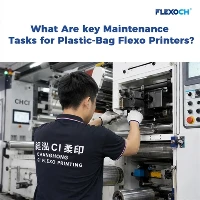
As a supplier of 8 Colour Flexo Printing Machines, I've witnessed firsthand the incredible capabilities these machines offer in the printing industry. However, like any complex piece of equipment, they are not without their challenges. In this blog, I'll delve into the common problems that users may encounter with an 8 Colour Flexo Printing Machine and provide practical solutions to address them.
1. Ink Transfer Issues
One of the most prevalent problems in flexo printing is inconsistent ink transfer. This can result in uneven color distribution, patchy prints, or poor image quality. There are several factors that can contribute to this issue:
- Anilox Roll Wear: Over time, the anilox roll, which is responsible for metering the ink onto the printing plate, can wear down. This wear can lead to inconsistent ink delivery, causing variations in color density across the print. To solve this problem, regular inspection of the anilox roll is essential. If signs of wear are detected, the roll should be replaced or re - engraved.
- Printing Plate Condition: A damaged or poorly prepared printing plate can also cause ink transfer problems. Cracks, scratches, or improper mounting of the plate can prevent the ink from being transferred evenly. It's crucial to handle the printing plates with care and ensure they are properly mounted and aligned. If a plate is damaged, it should be replaced immediately.
-
Ink Viscosity: The viscosity of the ink plays a significant role in ink transfer. If the ink is too thick, it may not flow properly through the anilox roll and onto the plate. On the other hand, if the ink is too thin, it can result in excessive ink spread. Regularly measuring and adjusting the ink viscosity using a viscometer is recommended. Adding solvents or thickeners as needed can help maintain the optimal viscosity.

2. Registration Problems
Registration refers to the accurate alignment of the different colors in a multi - color print job. In an 8 Colour Flexo Printing Machine, achieving precise registration can be challenging. Common causes of registration issues include:
- Mechanical Misalignment: The mechanical components of the printing machine, such as the gears, bearings, and shafts, can become misaligned over time. This misalignment can cause the printing cylinders to move out of sync, resulting in registration errors. Regular maintenance and calibration of the machine's mechanical parts are necessary to ensure proper alignment.
- Web Tension Variations: Fluctuations in web tension can also affect registration. If the web is too loose or too tight, the printed image may shift during the printing process. Installing a web tension control system can help maintain a consistent tension throughout the printing job.
- Operator Error: Incorrect settings or improper handling of the machine by the operator can lead to registration problems. Providing comprehensive training to the operators on how to set up and operate the machine correctly is crucial. They should also be trained to monitor and adjust the registration settings during the printing process.
3. Drying Problems
Proper drying of the printed ink is essential to prevent smudging, blocking, and other quality issues. Drying problems can occur due to several reasons:
- Insufficient Drying Capacity: If the drying system of the printing machine is not powerful enough, the ink may not dry completely before the printed material is wound up or stacked. This can result in smudging and sticking. Upgrading the drying system or increasing the drying time can help solve this problem.
- Ink Formulation: Some inks may require specific drying conditions. Using the wrong type of ink or an ink with a slow drying rate can cause drying problems. Consult with the ink supplier to ensure that the ink used is suitable for the printing machine and the substrate.
- Environmental Conditions: High humidity or low temperature can slow down the drying process. Maintaining a controlled environment in the printing area, with appropriate temperature and humidity levels, can improve the drying efficiency.
4. Plate Mounting and Alignment
Proper plate mounting and alignment are critical for achieving high - quality prints. Incorrect plate mounting can lead to various problems, such as distorted images, inconsistent ink transfer, and registration errors.
- Mounting Tape Issues: The mounting tape used to attach the printing plate to the cylinder can cause problems if it is not of good quality or if it is applied incorrectly. Using a high - quality mounting tape and following the manufacturer's instructions for application can help ensure a secure and even mounting of the plate.
- Alignment Tools: Using accurate alignment tools, such as plate alignment guides and registration marks, is essential for precise plate alignment. Operators should be trained to use these tools effectively to ensure that the plates are aligned correctly.
- Plate Cleaning: Before mounting the plate, it should be thoroughly cleaned to remove any dirt, debris, or residual ink. A clean plate surface will ensure better adhesion to the mounting tape and more accurate ink transfer.
5. Substrate Compatibility
The choice of substrate can have a significant impact on the printing quality. Different substrates have different surface characteristics, such as smoothness, porosity, and absorbency, which can affect ink transfer, drying, and adhesion.
- Surface Treatment: Some substrates may require surface treatment to improve ink adhesion. For example, corona treatment can be used to increase the surface energy of plastic films, making them more receptive to ink.
- Ink Selection: Choosing the right ink for the substrate is crucial. Different inks are formulated to work best with specific substrates. Consult with the ink supplier to select an ink that is compatible with the substrate being used.
- Substrate Testing: Before starting a large - scale printing job, it's advisable to conduct small - scale tests on the substrate to ensure that the printing quality meets the desired standards. This can help identify any potential problems and allow for adjustments to be made before the full production run.
-
Video Introduction
Solutions and Recommendations
To minimize these common problems and ensure the smooth operation of an 8 Colour Flexo Printing Machine, here are some general recommendations:
- Regular Maintenance: Implement a comprehensive maintenance schedule for the printing machine. This includes cleaning, lubricating, and inspecting the mechanical components, as well as checking the performance of the electrical and pneumatic systems.
- Operator Training: Provide ongoing training to the operators to keep them updated on the latest operating techniques and troubleshooting methods. Well - trained operators are more likely to identify and solve problems quickly, reducing downtime and improving productivity.
- Quality Control: Establish a strict quality control system to monitor the printing process and ensure that the printed products meet the required standards. This includes regular inspection of the prints, measuring color density, and checking for registration accuracy.
- Use of High - Quality Components: Invest in high - quality components, such as anilox rolls, printing plates, and inks. Using substandard components can lead to more frequent problems and lower - quality prints.
Conclusion
An 8 Colour Flexo Printing Machine is a powerful and versatile tool in the printing industry. However, like any equipment, it requires proper care, maintenance, and troubleshooting to operate at its best. By understanding the common problems and implementing the solutions outlined in this blog, users can improve the performance of their 8 Colour Flexo Printing Machines and achieve high - quality prints consistently.
If you're in the market for an 8 Colour Flexo Printing Machine or need more information about our products, we'd love to hear from you. Our team of experts can provide you with detailed product specifications, pricing, and technical support. Whether you're interested in a stack type flexo printing machine, Pp Woven Bag Printing Machine, or 6 Colour Flexo Printing Machine, we have the right solution for you. Contact us today to start a discussion about your printing needs.


References
- Flexographic Printing Technical Association (FPTA) publications
- Manufacturer's manuals for 8 Colour Flexo Printing Machines
- Industry - specific journals and research papers on flexo printing technology