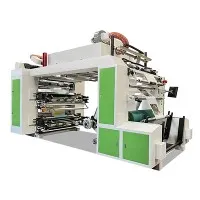
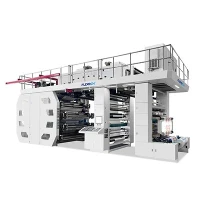
Maintaining the anilox roller of an 8 Colour Flexo Printing Machine is crucial for ensuring high - quality printing results and the longevity of the equipment. As a supplier of 8 Colour Flexo Printing Machines, I understand the significance of proper anilox roller maintenance and am here to share some valuable insights.
Understanding the Anilox Roller

The anilox roller is a key component in flexo printing. It is a cylindrical roller with a pattern of tiny cells engraved on its surface. These cells hold and transfer ink from the ink fountain to the printing plate. The size, shape, and density of the cells determine the amount of ink that is transferred, which directly affects the print quality.
Regular Cleaning
One of the most important aspects of anilox roller maintenance is regular cleaning. Ink residues can accumulate in the cells of the anilox roller over time, which can lead to inconsistent ink transfer and poor print quality. To clean the anilox roller, you can use a dedicated anilox cleaning solution.
First, remove the anilox roller from the printing machine. Then, soak the roller in the cleaning solution for a period of time. After soaking, use a soft - bristle brush to gently scrub the surface of the roller. Be careful not to damage the cells. Rinse the roller thoroughly with clean water and dry it with a lint - free cloth.
It is recommended to clean the anilox roller after each printing job. This helps prevent the build - up of ink and other contaminants, ensuring optimal performance.
Inspection
Regular inspection of the anilox roller is essential. Look for signs of wear, damage, or clogging. Wear can occur due to friction with the doctor blade or other components in the printing machine. Damage can be caused by improper handling or foreign objects coming into contact with the roller.
Use a magnifying glass or a microscope to inspect the cells of the anilox roller. Check for any blockages or deformities. If you notice any issues, it is important to address them immediately. Minor blockages can sometimes be cleared by using a specialized cleaning tool, while more severe damage may require professional repair or replacement.
Storage
Proper storage of the anilox roller is also important. When not in use, the roller should be stored in a clean, dry environment. Avoid storing the roller in direct sunlight or in areas with high humidity, as this can cause corrosion and damage to the surface of the roller.
It is recommended to store the anilox roller in a protective case or sleeve. This helps prevent dust and other contaminants from settling on the roller and also protects it from physical damage.
Handling
When handling the anilox roller, it is important to take precautions to avoid damage. Always use clean gloves to prevent fingerprints and other contaminants from getting on the roller. Avoid dropping or hitting the roller, as this can cause dents or other damage to the surface.
When installing or removing the anilox roller from the printing machine, follow the manufacturer's instructions carefully. Make sure the roller is properly aligned and secured to prevent any misalignment during printing.
Compatibility with Inks and Solvents
The anilox roller should be compatible with the inks and solvents used in the printing process. Some inks and solvents may contain chemicals that can damage the surface of the roller or cause the cells to clog. Before using a new ink or solvent, test it on a small area of the anilox roller to ensure compatibility.

Monitoring Print Quality
Regularly monitor the print quality to detect any issues with the anilox roller. If you notice inconsistent ink coverage, streaks, or other print defects, it could be a sign of a problem with the anilox roller. By monitoring the print quality, you can identify and address issues early, preventing more serious problems from occurring.
Professional Maintenance
In addition to regular in - house maintenance, it is also recommended to have the anilox roller professionally serviced on a regular basis. Professional maintenance can include deep cleaning, cell inspection, and repair or replacement of damaged components.
A professional service provider has the expertise and equipment to perform a thorough inspection and maintenance of the anilox roller. They can also provide advice on the best practices for maintaining the roller and ensuring optimal performance.
Related Products
If you are interested in other types of flexo printing machines, we offer a range of products, including Film Flexo Printing Machine, Plastic Bag Flexo Printing Machine, and Kraft Paper Printing Machine. These machines are designed to meet the diverse needs of the printing industry and can provide high - quality printing results.


Conclusion
Maintaining the anilox roller of an 8 Colour Flexo Printing Machine is a complex but essential task. By following the tips and best practices outlined in this blog, you can ensure the optimal performance and longevity of your anilox roller, as well as the overall quality of your printing.
If you are interested in purchasing an 8 Colour Flexo Printing Machine or need further advice on anilox roller maintenance, please feel free to contact us. We are committed to providing high - quality products and excellent customer service.
References
- "Flexographic Printing Technology" by FTA (Flexographic Technical Association)
- "Principles of Flexographic Printing" by various industry experts