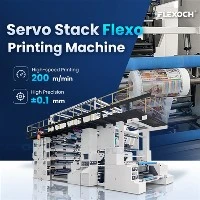
Alright folks, as a supplier of Film Flexo Printing Machines, I know how crucial it is to have the right ink pressure in these machines. Getting the ink pressure just right can make a world of difference in the quality of your prints. So, today, I'm gonna walk you through how to adjust the ink pressure on a Film Flexo Printing Machine.
First things first, understanding why ink pressure matters. In a Film Flexo Printing Machine, proper ink pressure ensures that the ink is evenly transferred from the anilox roll to the printing plate and then to the film. If the pressure is too low, the print might be faint or have missing parts. On the other hand, if it's too high, you could end up with blurry prints, ink smudging, and even damage to the printing plate or the machine itself.
Before you start adjusting the ink pressure, you need to check a few things. Make sure the machine is turned off and unplugged for safety. Check the ink supply system to ensure there are no blockages or leaks. The anilox roll should be clean; any dirt or dried - ink on it can affect the ink transfer and pressure. You can use a suitable anilox cleaner and a soft brush to clean the roll gently.
Now, let's talk about the actual adjustment process. Most Film Flexo Printing Machines have a pressure adjustment mechanism. Usually, there are pressure regulators that you can find near the ink supply or the printing unit. The regulators are often in the form of knobs or valves.
To start, set the machine to a test mode if it has one. This allows you to run a test print without wasting too much film. Start with a very low ink pressure setting. You can increase it gradually in small increments, say around 0.5 - 1 PSI at a time. After each increment, run a short test print.
Inspect the test prints closely. Look for the clarity of the images and text. If the print is too light, which means the ink is not being transferred effectively, increase the pressure a bit more. But be careful not to overdo it. These machines are sensitive, and small changes can have a big impact on the print quality.
If you notice that the print is starting to look blurry or the ink is spreading out, it's a sign that the pressure is too high. In this case, turn the regulator in the opposite direction to decrease the pressure. Keep making these small adjustments and running test prints until you get the perfect print quality.
Another factor that can affect ink pressure is the type of ink you're using. Different inks have different viscosities. Thicker inks might require slightly higher pressure to flow through the system and transfer properly. So, if you're switching between inks, you may need to re - adjust the pressure. Also, the temperature can play a role. Higher temperatures can make the ink less viscous, which might require you to lower the pressure a bit.
Let's say you've adjusted the pressure, but you're still having problems with uneven ink distribution. This could be due to misalignment of the anilox roll or the printing plate. Check the alignment carefully. The anilox roll should be parallel to the printing plate across its entire length. If there's a misalignment, refer to the machine's manual for instructions on how to correct it. Sometimes, it might just be a matter of tightening a few bolts or adjusting some guides.
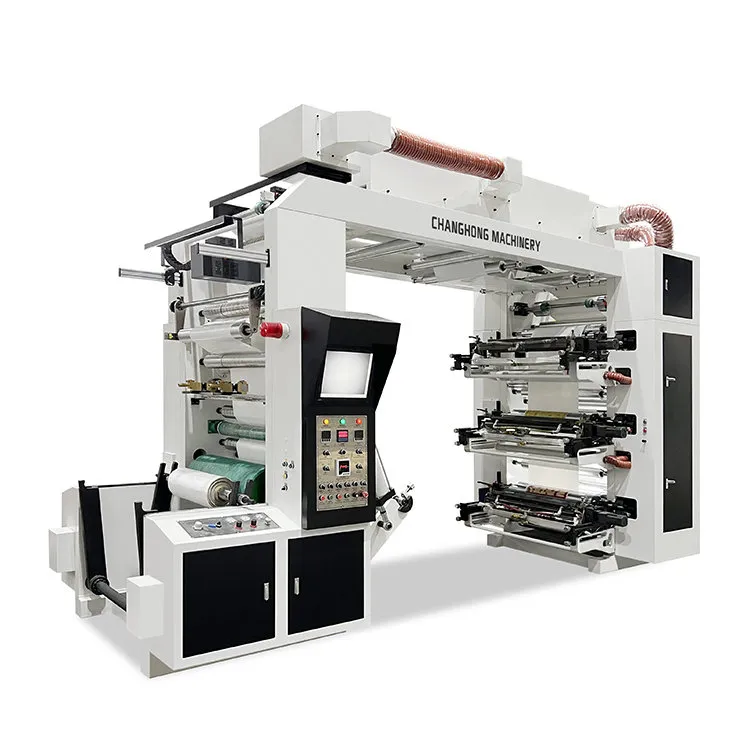

We also offer a range of other great machines, like the Pp Woven Bag Printing Machine. This machine is perfect for printing on PP woven bags with high precision. And for those of you looking for a machine to handle wider webs, our Wide Web Flexo Printing Machine is a top - notch option. Its advanced design allows for efficient and high - quality printing on wide films. Additionally, our Slitter Stack Type Flexo Printing Machine combines printing and slitting functions, saving you time and space in your production process.
If you're in the market for a Film Flexo Printing Machine, or if you have any questions about adjusting ink pressure or any other aspects of our machines, we're here to help. Just reach out to us to discuss your requirements and get the best solutions for your printing needs.
In conclusion, adjusting the ink pressure on a Film Flexo Printing Machine is a process that requires patience and attention to detail. By following these steps and keeping an eye on the print quality, you can ensure that your machine is running at its best and producing high - quality prints consistently.
References
- Flexographic Printing Technical Manual
- Industry - specific research on Film Flexo Printing Machine operations
- Manufacturer's guides for Film Flexo Printing Machines