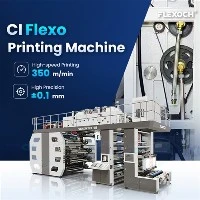
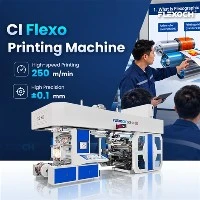
How to prevent over - pressure in CI presses?
As a supplier of CI (Central Impression) presses, I understand the critical importance of preventing over - pressure in these machines. Over - pressure in CI presses can lead to a variety of problems, including poor print quality, damage to the printing plates, and even mechanical failures. In this blog post, I will share some effective strategies to prevent over - pressure in CI presses based on my years of experience in the industry.
Understanding the Causes of Over - Pressure in CI Presses

Before we can discuss prevention strategies, it's essential to understand the common causes of over - pressure in CI presses. One of the primary causes is improper setting of the printing pressure. If the pressure is set too high, it can result in excessive force being exerted on the printing plates and the substrate. This can happen during the initial setup of the press or due to wear and tear on the pressure - adjusting components over time.
Another cause is the use of incorrect substrates. Different substrates require different levels of printing pressure. If a substrate is too thick or too rigid, it may require more pressure to achieve a good print. However, if the press is not adjusted properly for the specific substrate, over - pressure can occur.
In addition, mechanical issues such as misaligned rollers, worn bearings, or damaged gears can also lead to uneven pressure distribution, which may result in over - pressure in certain areas of the press.
Strategies to Prevent Over - Pressure
1. Proper Initial Setup
The first step in preventing over - pressure is to ensure a proper initial setup of the CI press. This includes accurately measuring and setting the printing pressure according to the specifications of the substrate and the printing job. Most modern CI presses are equipped with pressure - adjusting mechanisms that allow for precise control. It's important to follow the manufacturer's guidelines when setting the pressure.
For example, when using a Paper Gearless Flexo Printing Press, carefully read the user manual to understand the recommended pressure settings for different types of paper. Use pressure - measuring tools such as pressure sensors or pressure - indicating films to verify the accuracy of the settings.


2. Substrate Selection and Preparation
Choosing the right substrate is crucial for preventing over - pressure. Conduct thorough research on the substrate requirements of your printing jobs. Select substrates that are compatible with your CI press and the type of printing you are doing.
Before loading the substrate onto the press, perform some basic preparation steps. For instance, if the substrate has a rough surface, it may require a slightly higher pressure to ensure good ink transfer. However, if the roughness is excessive, it could lead to over - pressure. In such cases, consider pre - treating the substrate to smooth the surface.
3. Regular Maintenance
Regular maintenance is essential for keeping the CI press in good working condition and preventing over - pressure. This includes inspecting and lubricating the moving parts of the press, such as rollers, bearings, and gears. Check for any signs of wear and tear, and replace any damaged components immediately.
For a Wide Web Flexo Press, pay special attention to the tension control system. Improper tension can cause uneven pressure on the substrate, leading to over - pressure. Regularly calibrate the tension control system to ensure it is functioning correctly.
4. Employee Training
Properly trained employees are key to preventing over - pressure in CI presses. Provide comprehensive training to your operators on how to set up the press, select the right substrates, and perform regular maintenance. Teach them how to recognize the signs of over - pressure, such as poor print quality, excessive wear on the printing plates, and strange noises from the press.
Encourage your operators to report any issues they notice immediately so that corrective action can be taken promptly.
5. Monitoring and Feedback
Implement a monitoring system to continuously track the pressure levels in the CI press during operation. This can be done using pressure sensors and monitoring software. Set up alarms or alerts to notify operators if the pressure exceeds the predefined safe levels.
Collect feedback from the operators and the quality control team on a regular basis. Use this feedback to identify any potential problems and make necessary adjustments to the prevention strategies.
Video Introduction
Benefits of Preventing Over - Pressure
Preventing over - pressure in CI presses offers several benefits. Firstly, it improves the print quality. When the pressure is properly controlled, the ink is transferred evenly onto the substrate, resulting in sharp, clear, and consistent prints.
Secondly, it extends the lifespan of the printing plates. Over - pressure can cause premature wear and damage to the printing plates, leading to frequent replacements. By preventing over - pressure, you can reduce the cost of plate replacement and increase the overall efficiency of the printing process.
Finally, it reduces the risk of mechanical failures. Over - pressure can put excessive stress on the mechanical components of the press, leading to breakdowns and costly repairs. By maintaining proper pressure levels, you can minimize the downtime of the press and ensure smooth operation.
Conclusion
Preventing over - pressure in CI presses is a critical aspect of ensuring high - quality printing, prolonging the lifespan of the equipment, and reducing operational costs. By following the strategies outlined in this blog post, including proper initial setup, substrate selection and preparation, regular maintenance, employee training, and monitoring, you can effectively prevent over - pressure in your CI presses.
If you are interested in learning more about our CI presses or have any questions regarding over - pressure prevention, please feel free to contact us. We are more than willing to provide you with professional guidance and high - quality products. Our team of experts is always ready to assist you in solving any problems you may encounter in your printing business.
References
- "Flexographic Printing Technology Handbook", John Wiley & Sons, Inc.
- Manufacturer's user manuals for Paper Gearless Flexo Printing Press, Wide Web Flexo Press, and Pp Woven Bag Flexo Printing Machine.